→ overview
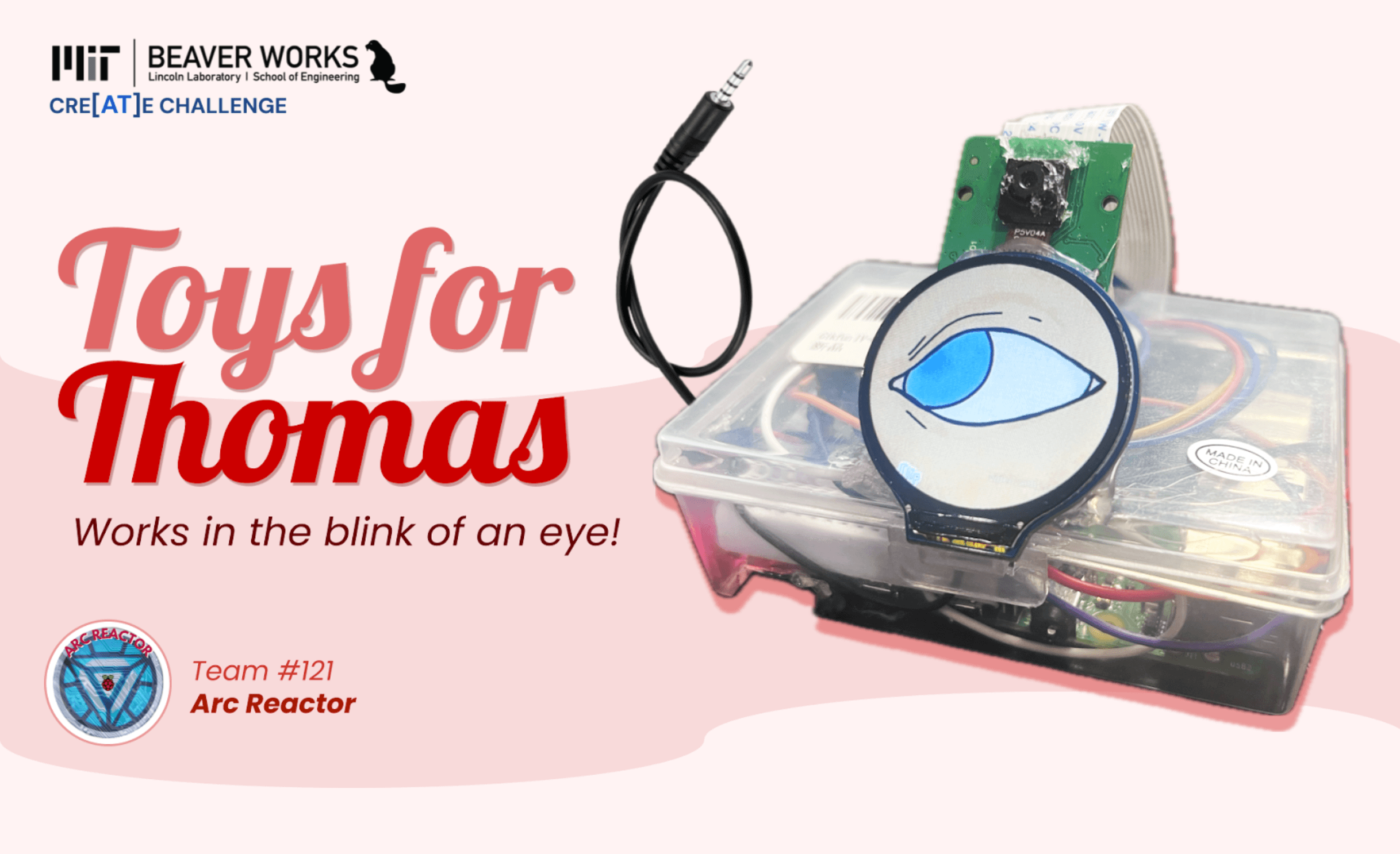
Through the MIT BeaverWorks CRE[AT]E Challenge, we partnered with a local student with special needs to co-design assistive technology for daily challenges.
We narrowed our search for a co-designer to the Lakeview School for Special Needs, where we met Thomas, a preschooler with limited limb mobility and verbal usage.
After discussing with his family and educators, we learned that Thomas has difficulties finding toys that he can use, as "accessible" toys often require physical input.
→ market research
Modern toys are inaccessible for students with disabilities that may struggle with motor skills and/or hand-eye coordination.
Due to this, many schools for special needs have turned to switch-adapted toys, which include a plug-in for a larger button that children can interact with more easily. However, students and faculty brought up 3 key pain points:
Toys with multiple features are reduced to one input when switch-adapted.
Switch-adapted toys retail from $400-$1,300 online.
Switch-adapting doesn't allow students with little to no mobility to interact with toys.
→ user needs
This system was designed for Thomas to control a toy in a comfortable and easy-to-learn manner, using technology responding to his head movement.
We compiled a list of project needs, with key interests being accessibility and easy set-up in both classroom and home environments. Using this list, we explored interaction approaches before settling on camera-based gaze detection to avoid wearables and reduce screen dependency.
Our prototype needed to be eye-catching (literally…)
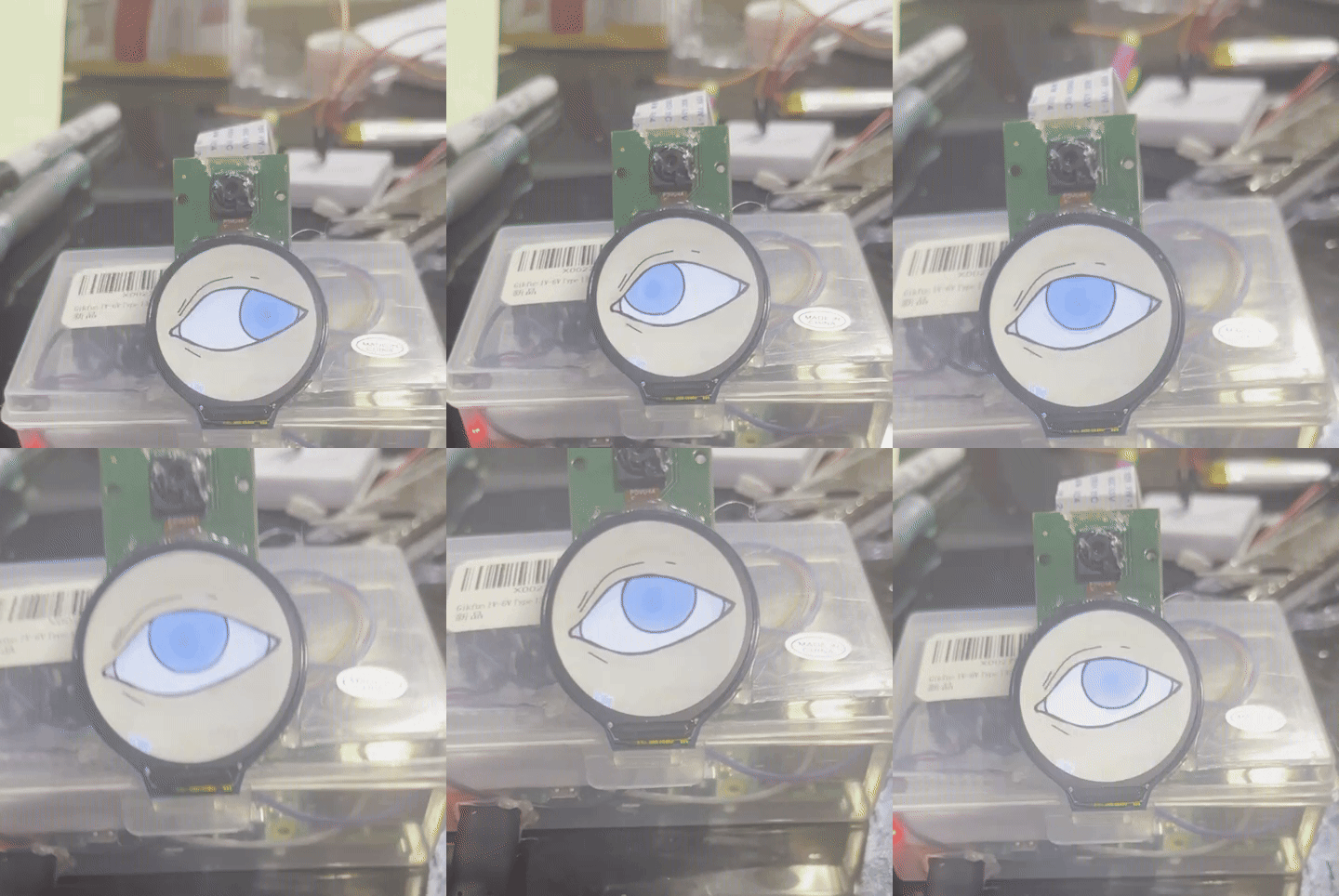
Considering Thomas's age, the main concern was keeping his attention on the switch long enough to trigger gaze detection. While more complex eye-tracking gestures could be tracked, blinking became the primary input-output activation which was tested. We decided to provide visual feedback through a screen under the camera to convey if a blink had been detected.
→ design strategy & iterations
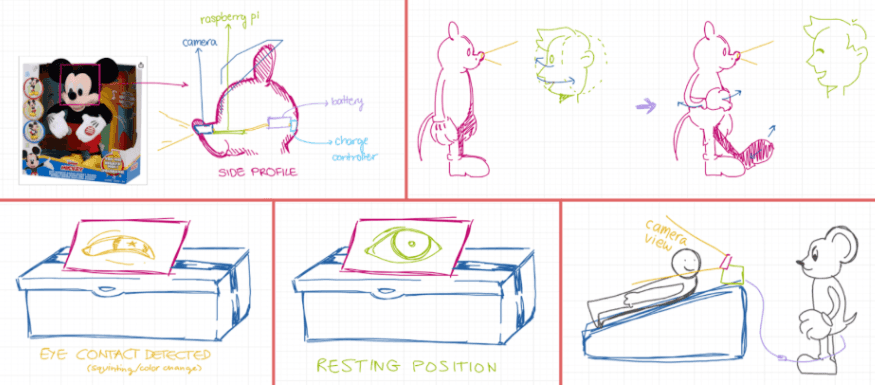
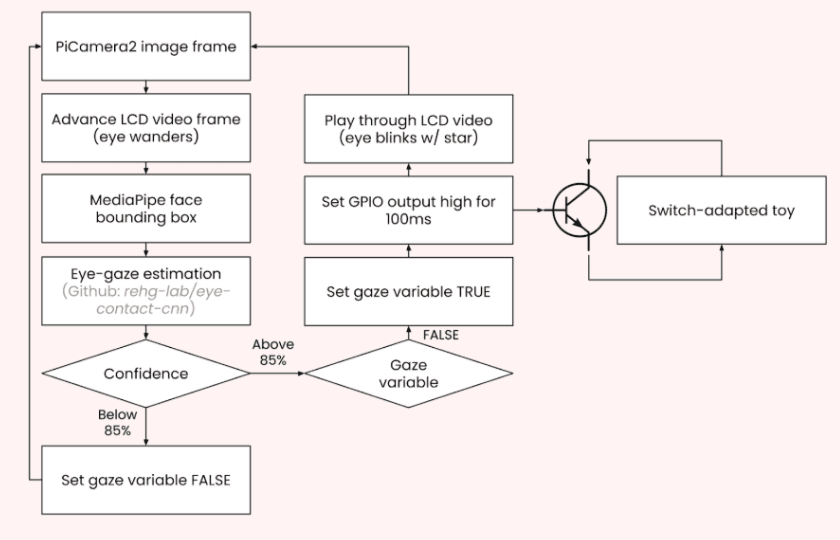
The switch was split into two components: a self-contained gaze-detection switch and a standardized connection to switch-adapted toys. This modular approach allowed compatibility with multiple toys while keeping the interface simple and familiar. After drawing out user flow, I laid out the schematics of the hardware within the gaze-detection switch and designed gaze trigger animations.
Software workflow for gaze-activation
Idle & blink animations for switch screen
Key design iterations included adjusting camera positioning to align with Thomas's eyes while in the floor as well as adjusting the visual feedback on the screen to catch Thomas's attention more effectively.
Video demonstrating gaze-activation (turn up sound!)
→ final design
We prioritized a clean, direct interface.
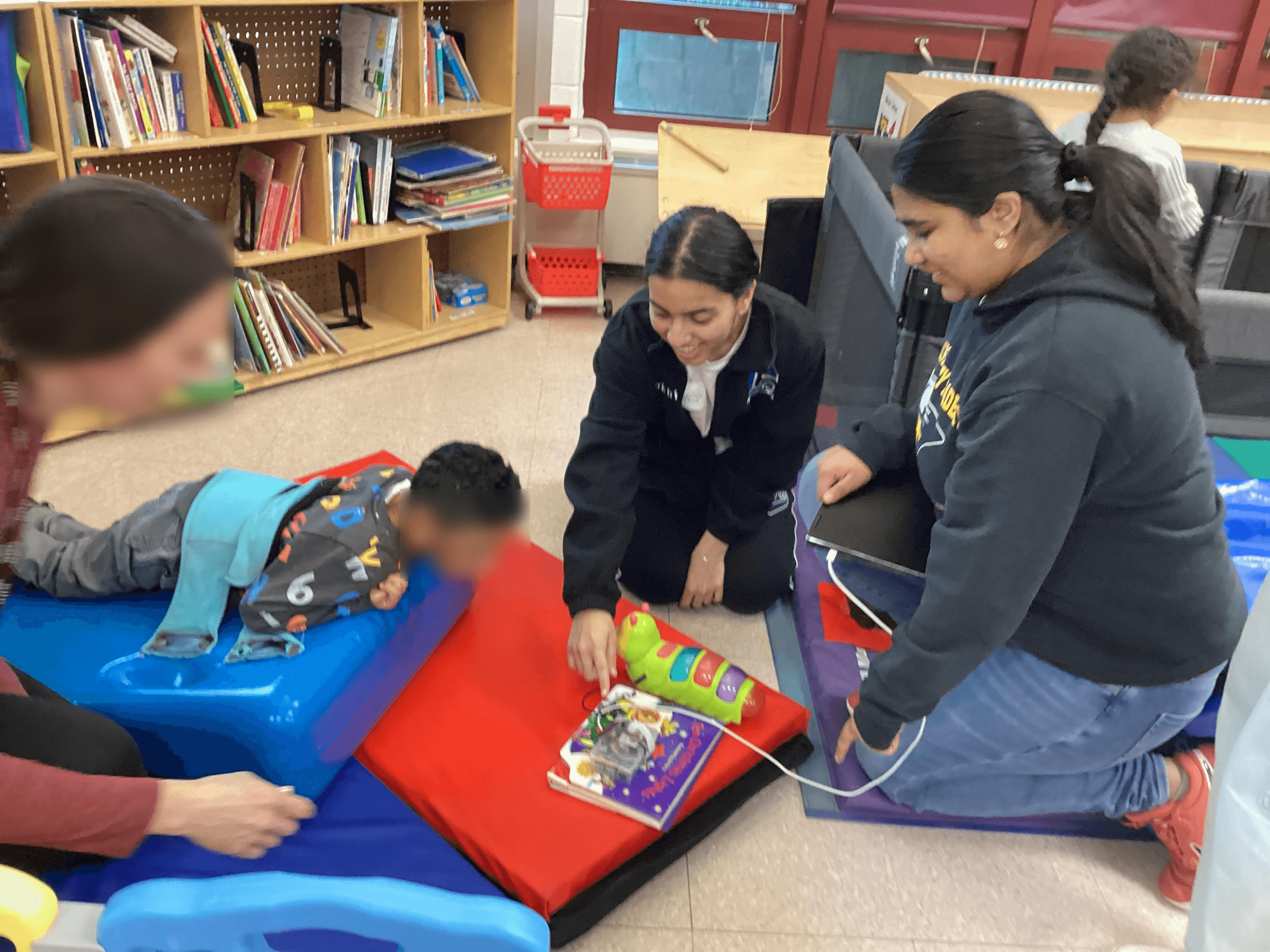
The final prototype enabled Thomas to independently activate toys using gaze alone while lying down, regardless of their initial setup. The system demonstrated the feasibility of affordable, gaze-based interaction for non-verbal users in non-clinical environments.
Thomas trying out the gaze-activation switch at school!
→ reflection
While designed with Thomas in mind, our prototype could be scaled for school-wide initiatives.
Designing this toy was not only a successful challenge, but eye-opening! As a student, I was taught to design based on fixed constraints, but working with a co-designer allowed me to navigate user research while building up a community :')
What I learned…
You can never identify all user needs from the get-go.
This makes the testing process critical for exploring all possibilities!
Good design is always collaborative.
Iterating with Lakeview's community made me realize the power of an extra pair of eyes on my work.